

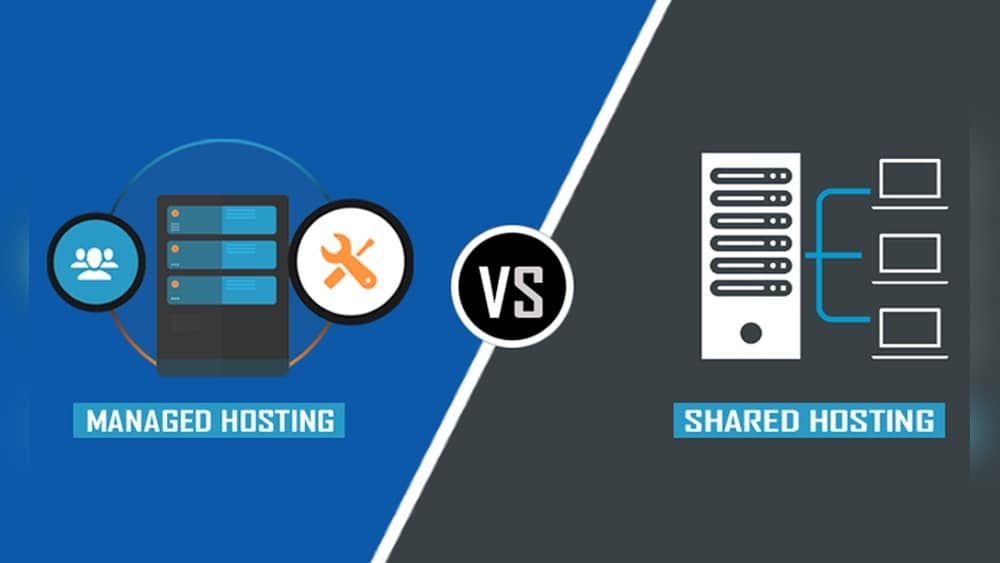
Choosing a web hosting solution is one of the first big decisions you face when building a website. For most beginners and small business owners, the two main options are managed hosting and shared hosting. Both can help you get your site online, but they’re very different under the hood. Picking the wrong one can slow down your website, cause security problems, or even make your site unavailable. If you want to avoid these headaches, it’s important to understand what each type of hosting offers and which is best for your needs.
Let’s take a closer look at managed vs shared hosting. You’ll learn how each works, what makes them different, and which features really matter. By the end, you’ll have the knowledge to pick the right hosting for your website—without wasting money or time.
What Is Shared Hosting?
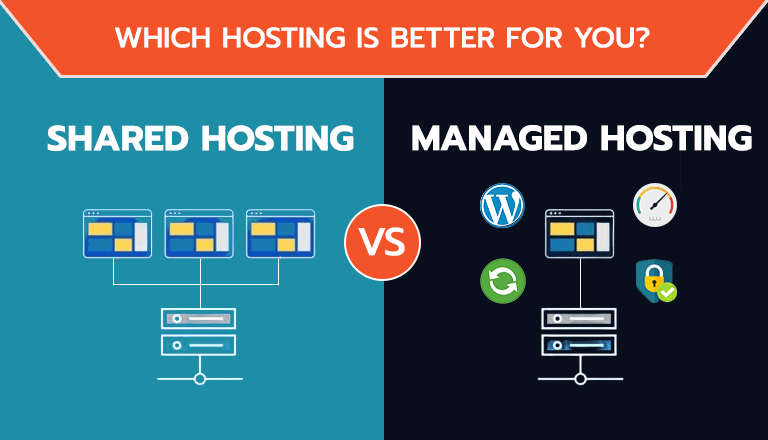
Shared hosting is the most basic and budget-friendly type of web hosting. Imagine a big apartment building, where many tenants live in separate rooms but share the same building resources—like water, electricity, and internet. In shared hosting, your website sits on a server alongside many other websites. All these sites share the server’s resources, including CPU, memory, and disk space.
This arrangement keeps costs low, making shared hosting a popular choice for personal blogs, small business sites, and anyone just starting out. Hosting companies manage the server for you, so you don’t need to worry about hardware or software updates.
However, sharing resources comes with downsides. If one website on your server gets a sudden spike in traffic or is attacked by hackers, your own site’s speed and reliability can suffer. Also, customization options are limited.
Key points about shared hosting:
- Low cost: Often under $10 per month
- Easy to use: No technical skills needed
- Resource sharing: All websites on the server compete for the same resources
- Limited control: Fewer options for customization
What Is Managed Hosting?
Managed hosting is a step up. Here, you still use a server provided by a hosting company, but the provider takes care of almost everything for you. This includes installing updates, monitoring for security threats, performing regular backups, and optimizing performance. Managed hosting can apply to different types of servers, but it’s most common with managed WordPress hosting.
Think of managed hosting as living in a serviced apartment with your own private space. The building staff takes care of cleaning, maintenance, and repairs, so you don’t have to worry about them. You get more resources, better security, and expert support.
Managed hosting is more expensive, but you get a smoother, safer, and often faster website experience. It’s ideal for people who want to focus on their website content or business, not on technical details.
Key points about managed hosting:
- Higher cost: Usually $20 to $100+ per month
- Hands-off management: Provider handles updates, security, backups
- Better performance: More resources and optimized servers
- Expert support: Access to specialized help

Credit: giftedowl.com
How Shared And Managed Hosting Work
To make a smart choice, it helps to understand what’s happening behind the scenes.
Shared Hosting: The Basics
When you sign up for shared hosting, your website files are stored on the same physical server as dozens, sometimes hundreds, of other websites. The hosting company installs and maintains the server’s operating system, software, and security patches. You get a control panel (like cPanel) where you can upload files, create email accounts, and manage your website.
You don’t get to choose the software or tweak settings much, because changes could affect everyone else sharing the server. If another website uses too many resources, your site may slow down or even go offline temporarily.
Managed Hosting: The Basics
With managed hosting, your site may still share a server with other sites, but you’re separated more carefully—sometimes with your own dedicated resources. The hosting provider handles server management, security, backups, and software updates. You usually get a dashboard that’s simpler and more focused on your website, not the server.
Providers often include extra tools, like automatic scaling, caching for faster page loads, and malware scanning. Many managed hosts specialize in WordPress, offering features built just for it.
Some managed hosting plans use virtual private servers (VPS) or even dedicated servers, giving you more isolation from other customers.
Key Differences Between Managed And Shared Hosting
Understanding the differences will help you decide which hosting type matches your needs.
| Feature | Shared Hosting | Managed Hosting |
|---|---|---|
| Price | Low (typically $2–$10/month) | Higher ($20–$100+/month) |
| Resource Allocation | Shared with many users | Dedicated or carefully limited |
| Server Management | Basic, by provider | Fully managed, including optimizations |
| Performance | Varies, can be slow under load | Consistently fast, optimized |
| Security | Basic protections | Advanced, active monitoring |
| Customization | Very limited | Moderate to high (depends on plan) |
| Support | Standard (often basic) | Expert, often 24/7 |
Pros And Cons Of Shared Hosting
Shared hosting is popular because it’s cheap and simple. But it’s not perfect for every situation.
Pros
- Lowest cost: Ideal for small budgets or testing ideas.
- Beginner-friendly: Designed for non-technical users.
- No maintenance: Hosting provider handles updates and server management.
- Quick setup: Most plans are ready in minutes.
- Free extras: Many plans include free SSL certificates, email accounts, or website builders.
Cons
- Performance issues: Website speed can drop if other sites on the server get busy.
- Security risks: If one site is hacked, others may be at risk.
- Limited scalability: Hard to handle big spikes in visitors.
- Fewer features: Little room to install special software or custom configurations.
- Support may be slow: Basic help, sometimes with long wait times.
Non-obvious insight: Many shared hosts oversell their servers, putting too many websites on a single machine. This can cause unpredictable performance—even if your own site has low traffic.
Pros And Cons Of Managed Hosting
Managed hosting offers a premium experience, but you pay for it.
Pros
- High speed and performance: Servers are tuned for specific platforms, like WordPress.
- Automatic updates and backups: No need to worry about losing data or missing critical updates.
- Expert support: Fast, knowledgeable help, often available 24/7.
- Strong security: Includes malware scanning, firewalls, and regular security audits.
- Advanced features: Staging sites, one-click restores, and developer tools.
Cons
- Higher cost: May be overkill for very small websites.
- Less control for advanced users: Some hosts limit what you can install or change.
- Platform-specific: Some managed hosts only work with WordPress or certain CMS platforms.
- Resource limits: Even premium plans may cap visits or bandwidth.
- Migration needed: Moving your site to a managed host can take time and planning.
Non-obvious insight: Managed hosts often include features you didn’t know you needed, like staging environments for testing changes, or built-in caching that can speed up your site dramatically.
Performance: Speed, Uptime, And Reliability
Website speed and uptime are crucial for both visitors and search engines. Let’s compare how managed and shared hosting stack up.
Shared Hosting Performance
- Speed: Can be inconsistent. If your neighbors on the server are busy, your site may slow down.
- Uptime: Most providers promise 99.9% uptime, but real-world results can be lower.
- Example: If another website on your server gets a sudden traffic spike, your site might take several seconds to load or even show an error message.
Managed Hosting Performance
- Speed: Usually much faster. Managed hosts use caching, CDN integration, and performance tweaks.
- Uptime: Often 99.95% or higher, with proactive monitoring.
- Example: If your site gets more visitors, the managed host can automatically allocate more resources or recommend scaling up your plan.
| Hosting Type | Average Page Load Time | Uptime Guarantee |
|---|---|---|
| Shared Hosting | 1.5–3 seconds | 99.9% |
| Managed Hosting | 0.5–1.2 seconds | 99.95%–100% |
Key takeaway: If fast load times and reliability are important for your site, managed hosting is usually the better choice.
Security: How Safe Is Your Website?
Security should never be an afterthought. A single hack can destroy your website or leak user data.
Shared Hosting Security
- Shared risks: If another site on your server is compromised, your site could be affected.
- Basic protections: Firewalls and malware scanning, but limited.
- Responsibility: You’re often responsible for your own backups and updates.
- Example: If you install an outdated plugin, hackers could use it to attack your site—and possibly others on the same server.
Managed Hosting Security
- Advanced protection: Active monitoring, malware removal, and daily backups.
- Automatic updates: Providers patch vulnerabilities quickly.
- Isolated sites: Your website is separated from others, reducing risk.
- Example: If your site is hacked, managed hosts often fix the problem for free and help restore your data.
Non-obvious insight: Some managed hosts offer free SSL certificates and advanced DDoS protection, which can be expensive with shared hosting providers.
Ease Of Use: Which Is Simpler?
If you’re not a web developer, simplicity matters.
Shared Hosting
- Control panel: Usually cPanel or similar. Easy for basic tasks, but can feel cluttered.
- Manual updates: You often have to update your own CMS, plugins, and themes.
- Limited automation: Backups and security checks may need to be set up manually.
Managed Hosting
- Custom dashboards: Designed for non-technical users.
- Automatic everything: Updates, backups, and security handled for you.
- One-click tools: Staging, restores, and plugin management are often just one click away.
Pro tip: If you want a “set it and forget it” experience, managed hosting is usually much easier.
Support: Getting Help When You Need It
Support can make or break your hosting experience.
Shared Hosting Support
- Standard help: Email or ticket-based support, sometimes with long response times.
- Limited expertise: Support agents may only handle basic issues.
- Availability: Often business hours only.
Managed Hosting Support
- Expert help: Staff trained in your website platform (WordPress, etc. ).
- Fast response: Live chat and phone support, 24/7 in many cases.
- Proactive: Some hosts monitor your site and fix issues before you even know.
Real-world example: If your WordPress site crashes, a managed host might fix the error for you, while a shared host will just point you to help articles.
Pricing: What Are You Really Paying For?
Let’s break down the typical cost differences.
| Hosting Type | Monthly Price Range | What’s Included |
|---|---|---|
| Shared Hosting | $2–$10 | Hosting, basic support, some free tools |
| Managed Hosting | $20–$100+ | Hosting, expert support, backups, security, optimizations |
Important insight: While shared hosting is cheaper, you may end up paying more in the long run for extra features, better security, or to recover from downtime.
Who Should Use Shared Hosting?
Shared hosting is best for people and businesses who:
- Are just starting out and want the lowest possible cost
- Have small websites with low traffic (under 10,000 visits/month)
- Don’t need advanced features or custom software
- Are comfortable with some basic website maintenance
Examples:
- Personal blogs
- Local business websites
- Portfolio sites
If your site is mostly static and downtime isn’t critical, shared hosting is a practical choice.
Who Should Use Managed Hosting?
Managed hosting is best for:
- Businesses that rely on their website for sales or leads
- Websites with moderate to high traffic (over 10,000 visits/month)
- Users who want to avoid technical work
- Anyone who wants top-level security and performance
Examples:
- E-commerce stores
- Membership or community sites
- Agencies managing client websites
If your website is mission-critical or you want peace of mind, managed hosting is well worth the investment.
Common Mistakes When Choosing Hosting
- Choosing only by price: Cheap hosting can lead to hidden costs from downtime or poor support.
- Ignoring future growth: Your site may need more resources as it gets popular.
- Overlooking security: Not all hosts provide strong security features.
- Assuming all hosts are the same: Features and quality vary a lot.
- Not reading the fine print: Some hosts limit bandwidth or charge high renewal fees.
Pro tip: Always check reviews and ask questions before signing up.

Credit: www.scalahosting.com
Real-world Examples
Shared Hosting Example
A local bakery starts a simple website to list hours and menu items. They use shared hosting for $5/month. The site works fine with a few hundred monthly visitors. But during a holiday promotion, their site slows down and sometimes shows errors.
The bakery owner struggles to get help from support.
Managed Hosting Example
A small online shop moves to managed WordPress hosting at $30/month. The host handles updates, backups, and security checks. When traffic surges during a sale, the site stays fast. The shop owner focuses on business, not technical problems.
Lesson: Choose hosting that matches your needs today, but also supports your growth.
How To Decide: Key Questions To Ask
- How much traffic do I expect in the next 12 months?
- Is my website important for business or just a hobby?
- Do I want to manage updates and security myself?
- How much am I willing to spend for peace of mind?
- Do I need any special features (like staging, backups, or advanced security)?
If you’re unsure, start with shared hosting and upgrade later—or choose managed hosting if your website is important from day one.
Industry Statistics
- According to Hosting Tribunal, 37% of websites use shared hosting, while managed hosting is growing fast, especially for WordPress.
- Managed WordPress hosting users report 40% faster load times and 60% less downtime on average.
- 43% of small businesses that suffered data loss cited inadequate hosting security as a reason.
Final Thoughts: Managed Vs Shared Hosting
The best hosting for you depends on your goals, your budget, and how much time you want to spend managing your website. Shared hosting is perfect for beginners, small sites, or anyone who needs to keep costs low. But it comes with risks: slower speeds, limited support, and more security concerns.
Managed hosting costs more, but gives you better performance, expert support, and peace of mind. It’s a smart investment if your website matters to your business or reputation.
Don’t just look at price—think about the total value, support, and how your hosting choice will affect your website’s success.
For more detailed technical comparisons, you can check out this Wikipedia article on web hosting services.
Credit: codekyt.com
Frequently Asked Questions
What Is The Main Difference Between Managed And Shared Hosting?
The main difference is that managed hosting includes professional management of your website and server, like updates, backups, and security, while shared hosting only provides basic hosting with limited support. Managed hosting is usually faster and safer, but costs more.
Is Managed Hosting Worth The Extra Cost?
If your website is important for business, gets a lot of traffic, or you want to avoid technical headaches, managed hosting is often worth it. You get better performance, security, and expert support, which can save you time and money in the long run.
Can I Upgrade From Shared To Managed Hosting Later?
Yes, most hosting companies let you upgrade your plan as your site grows. It’s common to start with shared hosting and move to managed hosting when you need more features or better performance.
Do I Need Technical Skills For Managed Hosting?
No, managed hosting is designed to be easy for everyone. The hosting provider takes care of updates, security, and backups. You can focus on your website content or business, not on technical details.
Are There Any Hidden Costs In Shared Or Managed Hosting?
Some hosts charge extra for things like backups, SSL certificates, or extra bandwidth. Always read the terms carefully and ask about extra fees before you sign up, especially with shared hosting plans.
Choosing between managed and shared hosting doesn’t have to be confusing. With the right information, you can make a confident choice that supports your website’s success now and in the future.